Linguistics Career Launch Conference • 2021
Delivered workshop: Write Great Error Messages
Error messages are often treated as an afterthought, but in this workshop, participants explored what makes error messages key in a user experience and why linguists are well positioned to be UX writers. The workshop was a session of the 3-day Linguistics Career Launch conference, an event for recent linguistics grads exploring careers in business. After I presented some context, examples, and best practices, participants went into breakout sessions to try out what they'd learned.
UX writing & content strategy
talks & training, UX writing, collaboration
Topics
I covered these topics in the workshop.
What are error messages, and how do they get there?
What errors are, how they come to exist, where they pop up, why they deserve a linguist's attention
How to apply your linguistic expertise
Dos and don’ts: What to put in and leave out of an error message
Mechanics: Point of view, internationalization, standard phrasing, grammar and precision
Audience (including API errors for programming interfaces): Tone and word choice, humor
Interaction design: Getting a user back on track
Process: Collaborating with engineers, designers, and product managers
Selected Best Practices Covered
Here are a few of the best practices I covered in the workshop.
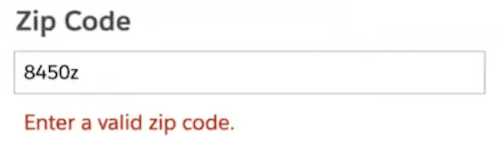
Say what went wrong and how to fix it
For example, focus on what users can do, not what they can't.
Instead of focusing on the error… | Focus on the solution |
 |  |
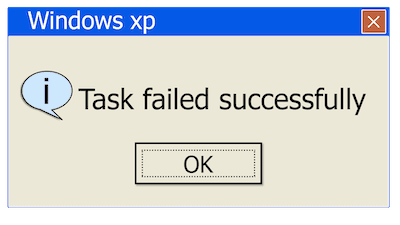
Beware software engineering jargon in end-user interfaces
When you're faced with a list of error messages drafted by team members with a technical perspective, it can be easy to lose sight of the user's point of view.
UI text sometimes includes standard English words given new meaning as technical engineering terms. This is jargon, and in an interface it makes a company look like it's not paying attention to its customers (unless the users of the interface are software engineers).
For example, when code is programmed to send a command, a message is returned inside the software to confirm whether the command was executed — whether it "succeeded" or not. Sometimes programmers surface this confirmation in a user interface: Success! Your file was saved. Simply saying Your file was saved does the message's job: to reassure users their work isn't lost.
Other common engineering jargon includes submit, failed, and insufficient privileges.
Talk with users, not at them
Don't do this: | Instead, do this: |
 |  |
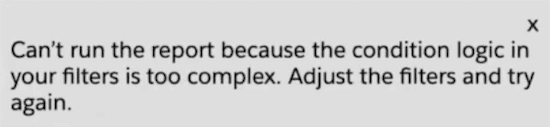
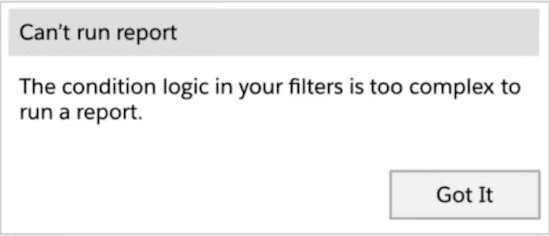
Write for the format the message will appear in
Dialog box? Toast? Something else? Check with the developer to make sure you're spec'ing all the right pieces.
Toast or inline messages have only a body | For a dialog box, writer must provide title, body, and button(s) |
 |  |
Internationalize
Don't let developers split sentences apart into separate strings — this is called concatenation. Translators work one string at a time, and the grammar of many languages prevents them from translating parts of a sentence out of context.
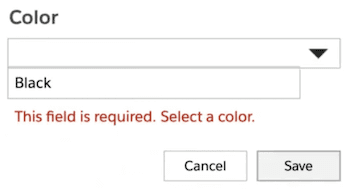
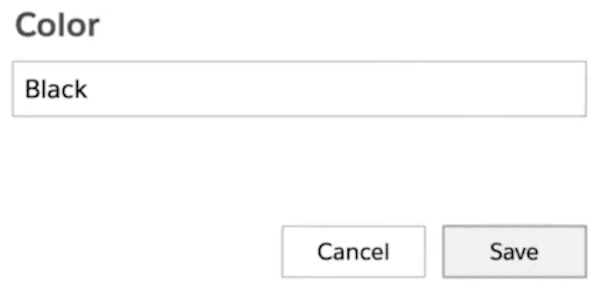
Whenever possible, prevent errors before they happen
When an error is unnecessary, work with your developer to eliminate it from the code.
Before: Error message is unnecessary when there's only one option to choose from | After: The single option is preselected, so no error is shown |
 |  |
Checklist
At the end of the workshop, I offered this checklist for writing error messages, along with a template sheet that writers can use to guide the process.
Gather information about each error scenario:
What triggers the error and how the user can fix it
How the error is displayed
Any draft text or notes the developer can provide; can contain helpful clues
A space to draft and finalize your message; color code it to indicate whether it’s final
Other columns you may want for tracking the work